

Grace QuiltMotion X
Three tiers of quilting automation for your Grace longarm
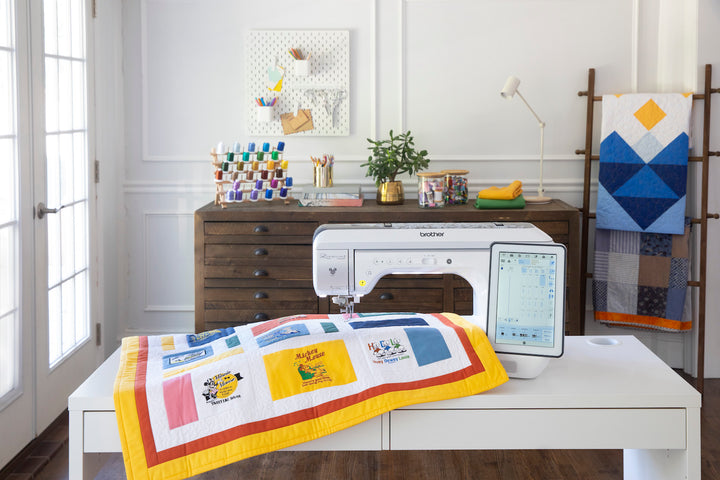
QuiltMotion X (QMX) adds computer-guided quilting to any Grace longarm. A tablet app lays the design over a map of your frame, and the carriage stitches it while you watch.
The hardware is identical on all three tiers. What changes is how much of the app is switched on, so you can buy the level you need now and unlock more later without replacing anything.

How a project runs
Three steps on every tier
A simple edge-to-edge and a complex custom layout use the same workflow. The higher tiers add tools inside each step; they do not change the steps.
 1
1
Choose a design
Use one of the designs loaded on the app, purchase more from the Grace Design Store, or bring in SVG files from other sources.
 2
2
Position it on the quilt
The screen is a scale map of the quilting area on your frame. Drag, size and rotate the design on screen and it lands in that spot on the fabric.
 3
3
Stitch it
Press start and the carriage takes over. A thread break or empty bobbin pauses the run; the app steers back to that stitch and continues.
Automation you can switch off
Hand-guided quilting stays available
Installing QMX does not turn your longarm into a machine you can only run from a tablet. The drive belts release without tools, and once they are off the carriage moves as freely as it did before.
Position sensors keep reading the needle location with the belts off, so you can quilt a section by hand, re-engage the belts and let the app finish the rest of the row without losing its place.
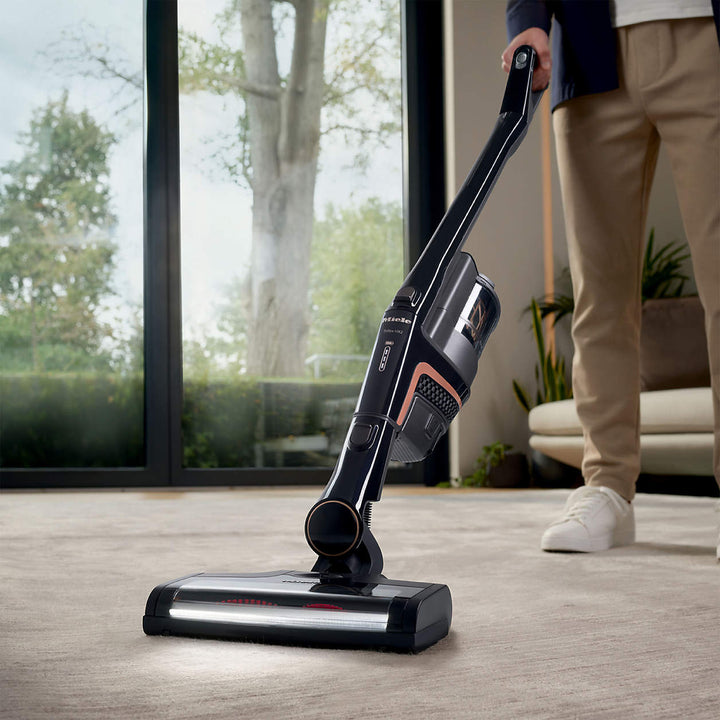
The carriage drive and control box in this photo ship with every tier.

Pricing
Pick the tier that matches your quilting
Each price covers the hardware kit plus the software level named. Higher tiers contain everything below them. If you outgrow a tier, Quality Sewing can unlock the next one on the hardware you already own. Reach us through the website or at any of our stores.
Foundations
For quilters new to automation
$3,500
Hardware kit included
6 months of Design Store downloads, 10 per month
Included tools
- Edge-to-edge pantographs, one row at a time
- Single block placement with stretch or proportion lock
- Straight lines and channel locks
- Stitch length, speed and tie-off settings
- Thread-break recovery
- Digital ruler and actual-size view
- On-screen guides for every tool
Discovery
For quilters who want to edit, not just place
$5,500
Hardware kit included
12 months of Design Store downloads, 10 per month
Adds to Foundations
- Multi-row pantographs with spacing and stagger
- Zone capture so rows line up after every fabric advance
- Block placement by two or four points, on point or in a triangle
- Draw your own shapes and fill them with designs
- Preview the stitch path and set the sewing direction
- Save a project and reopen it later
Mastery
For custom work and production quilting
$8,500
Hardware kit included
18 months of Design Store downloads, 10 per month
Adds to Discovery
- Plan the pantograph across the whole quilt before stitching
- Sequence several blocks in one job
- Zone managers for rolling and hoop frames
- Point-to-point paths that stitch as one continuous line
- Fix the end point and correct for fabric distortion
- Automatic sew-order optimization
- First in line for new tools as they release
Own QMX and want the next tier? Nothing ships. Contact us online or visit your local Quality Sewing store and the upgrade is applied to your existing hardware through the app.
Quilting on a home sewing machine? The longarm kit on this page will not fit. QMX Foundations for domestic machines runs the same app on a kit built for the Cutie Breeze frame.
Tool by tool
Full tier comparison
Every tool in the QMX app and the lowest tier that includes it. Anything in the hardware, such as belts, sensors and updates, is shared by all three.
| Feature | Foundations | Discovery | Mastery |
|---|---|---|---|
| Setup and connection | |||
| Free-motion modeA motor releases the drive belts so the carriage can be pushed by hand with no drag. | |||
| Needle position trackingMagnetic sensors report the needle's X and Y location to the app at all times, belts on or off. | |||
| Frame boundary mappingDrive the carriage around the usable area once and the app stores it. As the take-up roll grows, the app shrinks the area to match. | |||
| Over-the-air updatesNew software versions and tier upgrades download inside the app. The tablet talks to the hardware over Bluetooth. | |||
| Channel locksHold one axis still so the needle travels in a perfectly straight horizontal or vertical line. | |||
| Design library and store | |||
| Design librarySearch, favorite and sort the designs on your tablet, with a thumbnail before you commit. | |||
| Grace Design StoreShop for additional patterns from the app. Purchases can be downloaded again on a new tablet. | |||
| Design importLoad SVG and other common design formats bought or drawn elsewhere. | |||
| Pantograph | |||
| Simple pantographTap a start and end point, set the height, flip if needed, and stitch one row of an edge-to-edge design. | |||
| Row height, spacing and countSet how tall each row is, the gap between rows, how many rows fit and the margin at the edges. Rows can hold their proportions or stretch to fill. | – | ||
| Row stagger and flipOffset alternate rows by a quarter, half or three quarters, mirror rows or columns, and decide whether partial repeats at the edge are stitched. | – | ||
| Automatic section type detectionThe app reads the quilt and frame sizes and picks the right section layout for you. | – | ||
| Full-quilt pantograph planningLay out every row of the quilt up front, then register each new section from marks on the fabric or stitches already sewn. | – | – | |
| Zone management | |||
| Dynamic zone captureTouch the needle to each corner of the visible quilt area to define the zone, and the pattern picks up where the last zone left off after you roll. | – | ||
| Ghost overlay alignmentA faint copy of the previous section appears on screen so the next one lines up, using stitched corners or manual marks. The app suggests which method to use and adjusts the last zone to the quilt edge. | – | ||
| Rolling and hoop-frame zone managersDedicated workflows for rolling frames and hoop frames that map the whole quilt before the first stitch. | – | – | |
| Block quilting | |||
| Basic block placementDrop one design into a block, then stretch it to the edges or keep its proportions, and rotate or mirror it. | |||
| Multi-point block placementRegister a block by one, two or four corners, set it on point, in a triangle or at a right angle, add margins, or stitch in the ditch around it. | – | ||
| Multi-block sequencingSet up several blocks at once and choose the order they stitch in. | – | – | |
| Custom quilting and lines | |||
| Straight line stitchingMark two points and the machine sews a line between them, with height and flip options for line designs. | |||
| Custom shape drawingTrace an outline, an open line or a single point on screen and fill it with a block or pantograph design. The app sizes and orients the fill for you. | – | ||
| Sew shape borderOutline a drawn shape with stitching as well as filling it. | – | ||
| Reverse endpointsRun a placed design from the far end instead of re-placing it. | – | ||
| Point-to-point continuous pathBuild closed shapes from points and stitch the whole thing without a stop. Reorder segments by dragging, and copy elements between shapes. | – | – | |
| Multi-design sew orderWith several designs on screen, pick which one stitches next. | – | – | |
| Optimize and preview | |||
| Stitch path previewWatch the needle route, including jumps between elements, before any thread is used. | – | ||
| Sew-flow optimizationChoose whether rows always run one way or alternate direction to cut travel time. | – | ||
| Advanced sew-order optimizationThe app rearranges the stitch order and joins segments that can run as one line. | – | – | |
| Sewing controls | |||
| Prepare to sewA short checklist before each run: bring up the bobbin thread, travel to the start point, take one test stitch. | |||
| Pause and resumeA progress bar shows percent done and stitches sewn. Stop at any point and continue from the same stitch. | |||
| SPI, speed and tie-off controlsSet stitches per inch, choose micro or back-and-forth securing stitches, pick slow, medium or fast, and decide how runs are tied off. | |||
| Repair and recovery | |||
| Repair from break pointAfter a thread break, jump to the affected path and the machine restarts from the last good stitch. | |||
| Manual repair controlsStep backward or forward through the path, nudge the needle into position and take single stitches while you patch a gap. | |||
| Pro tools and projects | |||
| Digital rulerMeasure distances on screen and know they match the fabric. | |||
| Show actual sizeCheck how big a design will stitch out before you commit. | |||
| Undo, redo and reset viewStep back through changes, re-place a design, swap it for another or start the layout over. | |||
| Save and reopen project designsKeep a design's size, rotation and settings so the same setup can be reused on another quilt. | – | ||
| Save and reopen project zonesStore the zone layout along with the designs, so a half-finished quilt picks up in the right place tomorrow. | – | – | |
| End point adjustMove where a row finishes so it meets the border exactly, before stitching. | – | – | |
| Fabric compensationMark reference points on a quilt that has shifted or stretched and the app bends the design to match. | – | – | |
Compatibility
One kit for the whole Grace longarm line
The same QMX hardware mounts on every current Grace longarm, so the tier you choose is the only decision. Already own one of these machines? QMX bolts onto it.
Browse machines and frames in the Grace collection. Special financing applies to QMX and to Grace longarms.
Common questions
QuiltMotion X FAQ
What actually changes between Foundations, Discovery and Mastery?
Only the software. Foundations stitches single-row pantographs and single blocks. Discovery adds multi-row layouts, zone alignment across fabric advances, multi-point block placement and custom shapes. Mastery adds whole-quilt planning, block sequencing, continuous-path stitching and distortion correction. The full list is in the comparison table above.
If I start with Foundations, what does moving up cost?
The prices on this page include the hardware. An upgrade from one tier to another is priced separately as software only, since you keep the kit you have. Contact us through the website or ask at your local Quality Sewing store for the current trade-in discount.
Does it fit my Grace longarm?
Yes. One kit covers the Little Rebel, Grace 16X, 16X Elite, 19X Elite and 21X Elite.
I am not comfortable with tablets. Will I manage?
The app opens a short guide for each tool the first time you use it, and Grace publishes video walkthroughs and runs live online sessions. If you run into a question, a friendly Quality Sewing staff member can walk you through it. Reach out through the website or contact your local store for troubleshooting or guidance.
Can I still do standard free-motion quilting with my machine?
Yes. The belts release without tools, so your longarm still works as a regular free-motion machine. Switch between free-motion and automated quilting as often as you like, including partway through a quilt.
I use a home sewing machine on a frame. Which QMX do I need?
Not this one. The kit on this page is built for Grace longarms. For a domestic machine on the Cutie Breeze frame, see QMX Foundations for domestic machines.
I have the older QuiltMotion (QCT). Is there a trade-in?
Yes, for a limited time. Grace is offering a trade-in discount for QCT owners moving to any QMX tier during the launch period. Contact us through the website or your local Quality Sewing store for the current amount, how to apply it and how long the offer runs.
Pre-order
Reserve QuiltMotion X at Quality Sewing
Choose a tier, place the pre-order, and our team will handle setup questions when it arrives.