

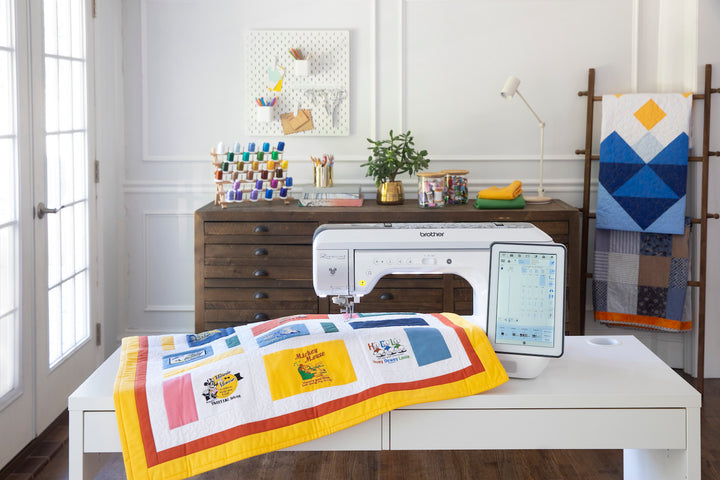



Brother PS500 Instruction Manual
The Brother PS500 operation manual covers bobbin winding, upper threading, stitch settings and the full stitch chart, then moves through buttonholes, zippers, quilting and decorative stitches. Brother wrote it for several models, so the accessory list can differ from the PS500 box.
Full Brother manual (132 pages): https://download.brother.com/welcome/doch100803/888f00_f05_f10_h32_om05en.pdf
Get the manual
Opens or downloads the official PDF from the Brother website.
Brother PS500 quick-start guide
A short guide written by the Quality Sewing team from the Brother manual. Use the full manual for diagrams and model details.
- Before you start. Plug the cord into the power supply jack and turn on the main power switch. Press the needle position button to raise the needle before you thread.
- Winding the bobbin. Snap the bobbin onto the winder shaft and slide it right. Pass the thread under the pretension disk, wrap it clockwise 5 or 6 times, cut it in the guide slit, then press Start/Stop.
- Inserting the bobbin. Turn the machine off and remove the bobbin cover. Place the bobbin so the thread unwinds to the left, guide the thread around the tab and through the slit, then cut it.
- Threading the top thread. Raise the presser foot to open the thread shutter, raise the needle, then switch off. Follow the thread channel in order and slide the thread behind the needle bar guide.
- Using the needle threader. Pass the thread through the threader guide notch into the disk marked 7, cut it and lower the foot. Press the threader lever down until it clicks, then let it return slowly.
- Choosing a stitch. Press the utility stitch key, then press a numeric key or type a stitch number. The screen shows which presser foot that stitch needs.
- First test seam. Lower the presser foot, set the speed slider and press Start/Stop, guiding the fabric lightly. You do not need to pull up the bobbin thread first.
- Routine care. Unplug the machine, remove the needle, foot and needle plate cover, and lift out the bobbin case. Brush lint from the race. Do not oil the machine or the bobbin case.
Quick facts from the manual
| Needle | Home sewing machine needles, size 65/9 to 100/16 |
|---|---|
| Bobbin | SA156, Class 15 type |
| Stitch width | Up to 7.0 mm |
| Stitch length | Up to 5.0 mm |
| Buttonhole | Foot A with buttonhole lever, up to about 28 mm long |
| Included feet (varies by model) | Zigzag J, monogramming N, overcasting G, zipper I, blind stitch R, button fitting M, buttonhole A |
| Needle threader | Yes, needle threader lever |
| Feed dog | Lowers with the switch at the back |
| Oiling | Do not oil the machine or the bobbin case |
Parts of the Brother PS500
The main parts and controls, named as they appear in the Brother manual. The manual's parts diagram shows where each one sits on the machine.
- Top Cover
- Thread Guide Plate
- Bobbin Winding Thread Guide and Pretension Disk
- Spool Pin
- Bobbin Winder
- LCD
- Operation Panel
- Operation Buttons and Sewing Speed Controller
- Flat Bed Attachment
- Thread Cutter
- Needle Threader Lever
- Thread Tension Dial
- Handwheel
- Presser Foot Pressure Dial
- Handle
- Presser Foot Lever
- Feed Dog Position Switch
- Main Power Switch
What the manual covers
- Getting ready: parts, accessories and LCD
- Winding the bobbin and upper threading
- Fabric, thread and needle combinations
- Replacing the needle and presser foot
- Stitch selection and stitch settings
- Stitch setting chart
- Utility stitches: buttonholes, zippers, stretch, quilting and darning
- Character and decorative stitches
- Maintenance and troubleshooting
- Error messages
Troubleshooting topics in the manual
- E06: motor locked by tangled thread or a bent needle
- F** error: possible malfunction, contact a service center
- Presser foot is raised
- Buttonhole lever in the wrong position
- Bobbin winder shaft moved to the right
- Start/Stop pressed with the foot controller connected
- Twin needle mode with an incompatible stitch
- Tangled thread on the wrong side of the fabric
If the troubleshooting chart does not solve it, our technicians service Brother machines. See sewing machine service and repairs.
Brother PS500 questions
What bobbin does the Brother PS500 take?
Brother says the included bobbin was designed for this machine. Use the included bobbin or the same type, SA156, a Class 15 plastic bobbin about 11.5 mm (7/16 inch) tall.
What needle does the Brother PS500 use?
It uses home sewing machine needles in sizes 65/9 to 100/16. The accessory table lists 75/11 and 90/14 needles, but included accessories vary by model. The needle threader works with sizes 75/11 through 100/16, and thread should be 30 to 90 weight.
What does E06 mean on the Brother PS500?
E06 means the motor locked up, either because thread tangled or because a bent needle hit the needle plate. Clean the race to remove the tangled thread, and replace the needle if it is bent or broken.
How do I drop the feed dogs on the Brother PS500?
The feed dog position switch is on the back of the machine base. Slide it to the left, as seen from the back, to lower the feed dogs. Slide it back to the right to raise them.
Does the Brother PS500 need oiling?
No. Brother oils the machine at the factory and says it must not be oiled by the user. The only oil the manual mentions is a small amount on the cutting edge of the optional side cutter. If the handwheel turns stiffly or you hear an unusual noise, contact an authorized Brother service center.
Quality Sewing & Vacuum · qualitysewing.com · Guide summary only. See the official Brother manual for full instructions and safety information.