

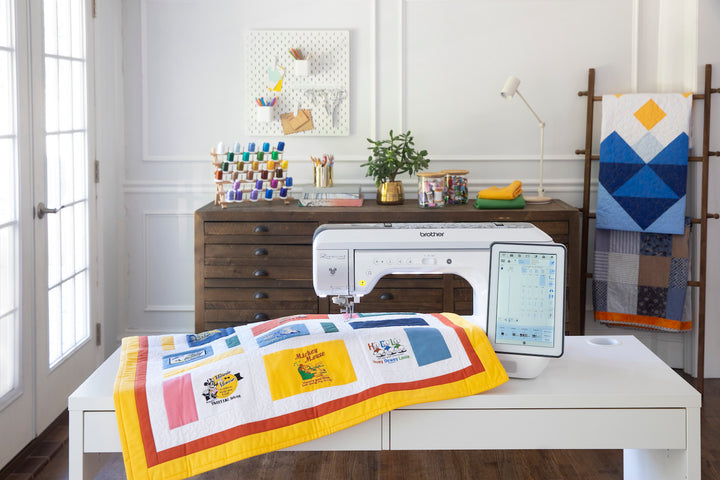



Brother NQ1700E Instruction Manual
The Brother NQ1700E operation manual covers wireless setup, threading, hooping, selecting and editing embroidery patterns, and saving designs to memory. It closes with care, troubleshooting, error messages, specifications and software updates. Included accessories are listed on a separate Brother sheet.
Full Brother manual (68 pages): https://download.brother.com/welcome/doch102340/888g60_g70_g72_om01en.pdf
Get the manual
Opens or downloads the official PDF from the Brother website.
Brother NQ1700E quick-start guide
A short guide written by the Quality Sewing team from the Brother manual. Use the full manual for diagrams and model details.
- Before you start. Plug into regular household power and press the right side of the main power switch. For embroidery, use a 75/11 home sewing machine needle.
- Winding the bobbin. Use 90 weight embroidery bobbin thread. Seat the bobbin on the winder shaft, run the thread under the pretension disk, wrap it clockwise 5 or 6 times, cut, then press Start/Stop.
- Inserting the bobbin. Lock the keys on the panel first. Place the bobbin so the thread unwinds to the left, then guide the thread around the tab and through the slit in the needle plate cover.
- Threading the top thread. Raise the presser foot to open the shutter and raise the needle. Pass the thread through the guide cover, under the guide plate, along the channel and behind the needle bar guide.
- Using the needle threader. The threader works with 75/11 to 90/14 needles. Seat the thread in the threader guide disk, lower the foot, press the lever until it clicks, then let it return slowly.
- Attaching the embroidery unit. With the machine off, open the connection port cover and push the unit in until it snaps into place. Turn the machine on and keep hands clear while the carriage moves to its starting position.
- Hooping the fabric. Iron stabilizer onto the wrong side. Loosen the frame screw and remove the inner frame. Lay the fabric right side up on the outer frame, re-insert the inner frame, slightly tighten, pull taut, then tighten fully.
- First test stitch-out. Slide the frame into the holder, lower the frame-securing lever and choose a pattern. Stop after 5 or 6 stitches and trim the starting thread before you continue.
Quick facts from the manual
| Needle | 75/11 home sewing machine needle, 90/14 for heavy fabric |
|---|---|
| Bobbin | SA156, Class 15 type, 11.5 mm high |
| Embroidery area | Up to 26 x 16 cm (about 10-1/4 x 6-1/4 in.) |
| Frames in the manual | 26 x 16 cm, 18 x 13 cm, 10 x 10 cm and 2 x 6 cm. Some are sold separately |
| Built-in designs | Embroidery, floral alphabet, character and frame patterns |
| Speed | 70 to 850 stitches per minute |
| Needle threader | Yes, for needles 75/11 through 90/14 |
| Oiling | Do not oil the machine |
Parts of the Brother NQ1700E
The main parts and controls, named as they appear in the Brother manual. The manual's parts diagram shows where each one sits on the machine.
- Top Cover
- Thread Guide Plate
- Thread Guide Cover
- Bobbin Winding Thread Guide and Pretension Disk
- Spool Pin
- Bobbin Winder
- LCD
- Operation Panel
- Operation Buttons
- Embroidery Unit
- Thread Cutter
- Needle Threader Lever
- Handwheel
- Handle
- Presser Foot Lever
- Main Power Switch
- Embroidery Frame Holder
- Frame-Securing Lever
What the manual covers
- Getting ready: parts, accessories, power and LCD
- Wireless network connection
- Winding and installing the bobbin
- Upper threading and replacing the needle
- Embroidery preparation: embroidery unit, hooping and frames
- Embroidering: patterns, tension, thread trimming, applique and split patterns
- Editing patterns
- Memory function
- Care and maintenance
- Troubleshooting, error messages and specifications
Troubleshooting topics in the manual
- A malfunction occurred: turn the machine off and on
- Pattern data cannot be recognized
- Upper thread broken or misthreaded
- Presser foot is raised
- Pattern extends outside the embroidery frame
- Preventive maintenance is recommended
- Bobbin thread is almost empty
- Safety device activated: tangled thread or bent needle
If the troubleshooting chart does not solve it, our technicians service Brother machines. See sewing machine service and repairs.
Brother NQ1700E questions
What bobbin does the Brother NQ1700E use?
Use the plastic bobbin that comes with the machine or the same type: the SA156, a Class 15 bobbin 11.5 mm (about 7/16 inch) tall. Wind it with the included 90 weight embroidery bobbin thread or a recommended one.
What needle should I use for embroidery on the Brother NQ1700E?
Brother recommends a 75/11 home sewing machine needle. If the machine is not stitching well on heavy weight fabric, try a 90/14 needle.
Do I need stabilizer on the Brother NQ1700E?
Brother says to always use stabilizer for embroidery, especially on stretch, lightweight or loosely woven fabrics. For thin fabrics such as organdy, or napped fabrics such as terry cloth, use water soluble stabilizer.
How thick can fabric be on the Brother NQ1700E?
Use fabric thinner than 2 mm (1/16 inch). Thicker fabric can break the needle.
Does the Brother NQ1700E need oiling?
No. The machine is oiled at the factory and must not be oiled by the user. To clean it, unplug the machine, remove the needle plate cover and bobbin case, then brush lint from the race and bobbin thread sensor.
Quality Sewing & Vacuum · qualitysewing.com · Guide summary only. See the official Brother manual for full instructions and safety information.