


Brother
Brother Advanced Quilt Design Software
Brother Advanced Quilt Design Software
SKU: SAADVQLT
Couldn't load pickup availability
Get creative with Brother Advanced Quilt Design!


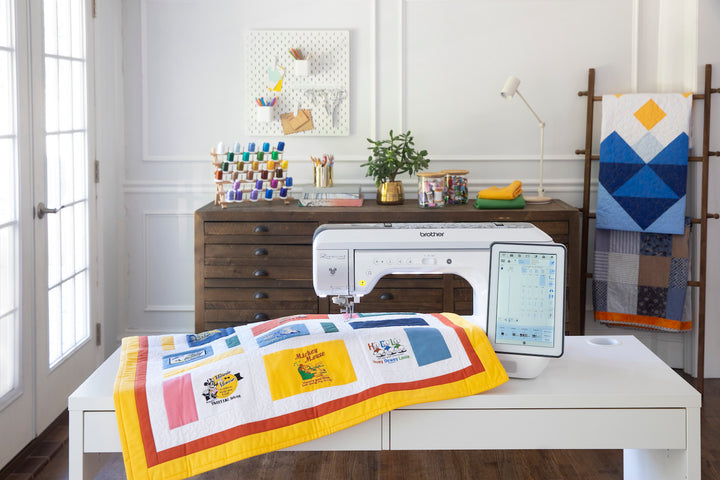
Easily load in your own fabric design to create unique quilt layouts! Perfect for anyone who wants to design their quilts before getting started on their fabric. Advanced Quilt Design allows you to try out multiple design variations on screen before you get started on your Brother Sewing Machine.
It’s also compatible with your ScanNCut series machine! Create custom quilt blocks and cut them out with ease.
Main Features
- Picture Quilting Create beautiful picture quilts utilizing a personal image!
- Create unique quilt layouts More than 250 built-in quilt block patterns
- Use the intuitive drawing tools to design your own quilt blocks! Once designed, you can easily print out and follow along.
- Compatible with PC only
- Includes one activation code
- Compatible with ScanNCut DX Transfer your patterns to ScanNCut DX to cut out your quilt blocks to prep for sewing!
| Available for purchase online | In-Store Only |
|---|
Frequently Asked Questions
What does Brother Advanced Quilt Design do?
It lets you load your own fabric design and try multiple quilt layouts on screen before you start sewing. Picture Quilting creates quilts from a personal image, and drawing tools let you design your own quilt blocks, then print them to follow along.
How many quilt block patterns does Brother Advanced Quilt Design include?
The software includes more than 250 built-in quilt block patterns. You can use them as they are or draw your own blocks with the drawing tools.
Does Brother Advanced Quilt Design work on a Mac?
No, the software is compatible with PC only. It includes one activation code, so plan to install it on a Windows computer before you start designing quilt layouts.
Can the software be used with a ScanNCut?
Yes, it is compatible with ScanNCut DX. You can transfer your patterns to a ScanNCut DX to cut out quilt blocks and prepare them for sewing. See other titles in our Brother embroidery and design software.