


Brother
Brother ScanNCut DX Innov-ís Edition SDX325
Brother ScanNCut DX Innov-ís Edition SDX325
SKU: BRSDX325
Couldn't load pickup availability
Scan, cut, and send designs straight to your Brother machine
A standalone cutting machine with a built-in scanner and Wi-Fi, made for quilters and crafters who want to cut fabric, paper, and more without a computer.
- 1,303 built-in designs, including 140 quilt patterns
- Built-in 600 DPI scanner turns hand-drawn art and sketches into cut data
- Blade Sensor Technology cuts materials up to 3mm thick
- 5" color touchscreen for editing, resizing, and rotating on the machine
- Wireless My Connection sends designs to and from a Brother XP sewing machine


Brother ScanNCut DX Innov-ís Edition SDX325: Scan, Cut, and Create
The Brother ScanNCut DX SDX325 is a standalone cutting machine that pairs a built-in scanner with Wi-Fi connectivity, so quilters and crafters can cut fabric, paper, vinyl, and more without a computer. With over 1,300 built-in designs, Blade Sensor Technology that cuts materials up to 3mm thick, and a 5" color touchscreen for on-machine editing, it brings cutting, drawing, and scanning into one machine for your sewing studio or craft room.
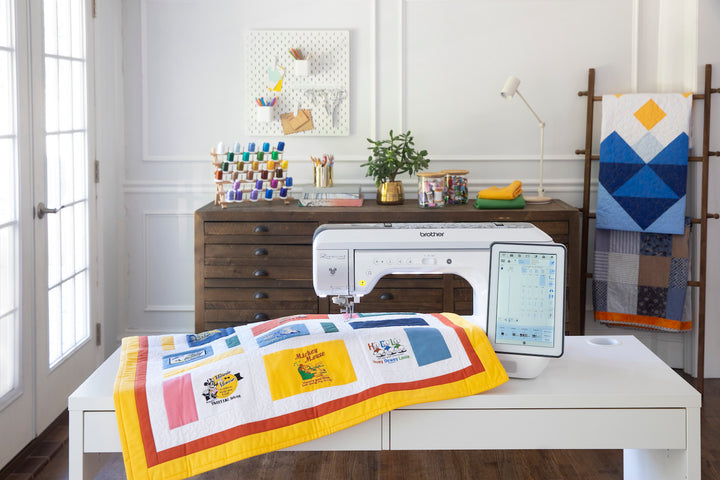
Send designs to your Brother sewing machine
The SDX325 and a Brother XP sewing machine can talk to each other. Once both are on your home network, the My Connection tile on the home screen sends and retrieves designs between the two machines, replacing the USB hand-off. This wireless transfer is exclusive to the SDX325.
Blade Sensor Technology
Blade Sensor Technology automatically detects the thickness of your material and cuts cleanly through anything up to 3mm thick. The included Thin Fabric Auto Blade cuts fabric for quilting and raw-edge appliqué, so you can cut multiple project pieces at once and save time.
Built-in scanner
The SDX325 is the only electronic cutting machine with a built-in scanner (up to 600 DPI with Scan to USB). Scan hand-drawn designs, sketches, and photos, then turn them into one-of-a-kind cut or draw files for your projects.
5" color touchscreen
The generous 5" LCD touchscreen handles editing, resizing, rotating, welding, and scanning right on the machine. Change a design's shape, size, or position, use just part of a design, and convert scanned artwork into custom cut or draw files.
Made for quilters
Add a seam allowance in ¼" increments to piece together quilts, clothing, and more. Built-in sewing guidelines work with the included air- and water-soluble erasable pens, so you can mark accurate stitch placement and wipe it away when you're done.
Scan-to-cut data and CanvasWorkspace
Scan a design and save it as data to cut or draw, and use the smooth line setting (low, middle, high) to fine-tune scanned images into clean, precise cutting lines. For more inspiration, the free Brother CanvasWorkspace platform offers a library of designs across a wide range of categories.
Explore the full Brother ScanNCut machines and accessories or browse all Brother sewing machines at Quality Sewing.
Specifications
| Key Specs |
|
| Smart Features |
|
| Included Accessories |
|
| Design Library |
|
| Scanning Features |
|
| Cutting Capabilities |
|
| Display & Editing |
|
| Warranty |
|
Frequently Asked Questions
What can the Brother ScanNCut SDX325 cut?
Blade Sensor Technology detects the thickness of your material and cuts it cleanly up to 3mm thick. The Thin Fabric Auto Blade cuts fabric for quilting and raw edge applique, and an optional 12" x 24" work area is available.
How does the built-in scanner work on the SDX325?
The built-in scanner reaches up to 600 DPI. You can scan hand-drawn designs and sketches and convert the scanned designs into cut or draw files.
What is the My Connection feature on the Brother SDX325?
My Connection is a tile on the home screen that sends and retrieves designs between the SDX325 and a Brother XP sewing machine over your home network.
What designs come built into the ScanNCut SDX325?
It has over 1,300 built-in designs, 140 built-in quilt designs and 17 built-in fonts. The 5" LCD touchscreen handles editing, resizing, rotating and welding. Browse more in our Brother ScanNCut machines and accessories.