

-
All Quality Sewing Offerings
Brother ScanNCut DX Mat Standard 12" x 12"
Regular price $27.99Sale price $27.99 Regular priceUnit price per$37.9926% offSale -
All Quality Sewing Offerings
Brother ScanNCut Rotary Auto Blade Kit
Regular price $53.99Sale price $53.99 Regular priceUnit price per$72.9926% offSale -
All Quality Sewing Offerings
Brother ScanNCut DX Low Tack Mat 12" x 12"
Regular price $27.99Sale price $27.99 Regular priceUnit price per$37.9926% offSale -
All Quality Sewing Offerings
Regular price $36.99Sale price $36.99 Regular priceUnit price per$47.9923% offSale -
All Quality Sewing Offerings
Brother ScanNCut DX Scanning Mat 12" x 24"
Regular price $48.99Sale price $48.99 Regular priceUnit price per$63.9923% offSale -
All Quality Sewing Offerings
Brother ScanNCut DX Scanning Mat 12" x 12"
Regular price $29.99Sale price $29.99 Regular priceUnit price per$43.9932% offSale -
All Quality Sewing Offerings
Brother ScanNCut DX Cutting Machine Auto Blade Replacement
Regular price $20.99Sale price $20.99 Regular priceUnit price per -
All Quality Sewing Offerings
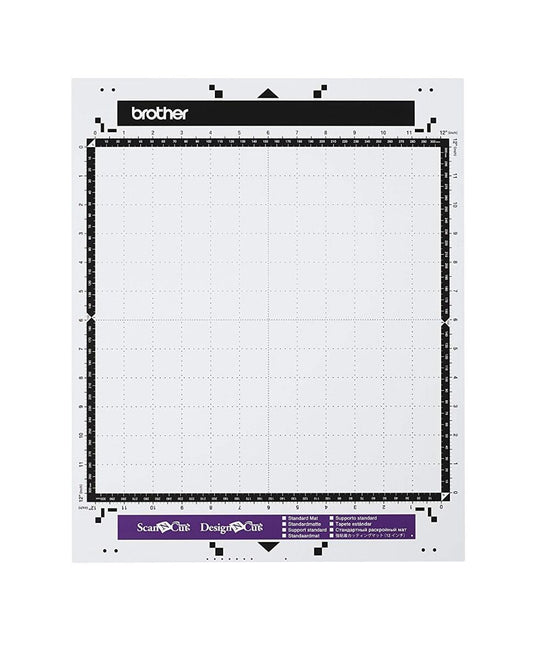
Brother ScanNCut Standard Mat 12" x 12"
Regular price $26.99Sale price $26.99 Regular priceUnit price per$37.9929% offSale -
All Quality Sewing Offerings
Brother ScanNCut Vinyl Auto Blade Kit
Regular price $72.99Sale price $72.99 Regular priceUnit price per -
All Quality Sewing Offerings
New and Improved Brother Roll Feeder for ScanNCut
Regular price $67.99Sale price $67.99 Regular priceUnit price per$107.9937% offSale -
All Quality Sewing Offerings
Brother ScanNCut Standard Mat 12" x 24"
Regular price $30.99Sale price $30.99 Regular priceUnit price per$53.9943% offSale -
All Quality Sewing Offerings
Brother ScanNCut Standard Cut Blade
Regular price $13.99Sale price $13.99 Regular priceUnit price per$20.9933% offSale -
All Quality Sewing Offerings
Brother ScanNCut DX Standard Mat 12" x 24"
Regular price $53.99Sale price $53.99 Regular priceUnit price per$55.994% offSale -
All Quality Sewing Offerings
Brother ScanNCut DX Innov-ís Edition SDX325
Regular price $899.99Sale price $899.99 Regular priceUnit price per$1,299.9931% offSale -
All Quality Sewing Offerings
Brother ScanNCut Disney Vinyl Auto Blade Kit
Regular price $96.99Sale price $96.99 Regular priceUnit price per$120.9920% offSale -
All Quality Sewing Offerings
Brother ScanNCut DX 12" X 12" Fabric Mat
Regular price $47.99Sale price $47.99 Regular priceUnit price per -
All Quality Sewing Offerings
Regular price $12.99Sale price $12.99 Regular priceUnit price per$23.9946% offSale -
All Quality Sewing Offerings
Brother ScanNCut Low-Tack Adhesive Mat 12" x 24"
Regular price $29.99Sale price $29.99 Regular priceUnit price per$43.9932% offSale -
All Quality Sewing Offerings
Brother ScanNCut Embossing Starter Kit CAEBSKIT1
Regular price $87.99Sale price $87.99 Regular priceUnit price per$92.995% offSale -
All Quality Sewing Offerings
Brother ScanNCut DX Low Tack Mat 12" x 24"
Regular price $53.99Sale price $53.99 Regular priceUnit price per$55.994% offSale -
All Quality Sewing Offerings
Brother ScanNCut Deep Cut Blade
Regular price $13.99Sale price $13.99 Regular priceUnit price per$20.9933% offSale -
All Quality Sewing Offerings
Regular price $23.99Sale price $23.99 Regular priceUnit price per -
All Quality Sewing Offerings
Brother ScanNCut High Tack Adhesive Fabric Support Sheet
Regular price $26.99Sale price $26.99 Regular priceUnit price per$0.00Liquid error (snippets/price line 86): Computation results in '-Infinity'% off -
All Quality Sewing Offerings
Brother ScanNCut Color Pen Set
Regular price $16.99Sale price $16.99 Regular priceUnit price per$24.9932% offSale









FAQs
Which blade do I need for which material?
The blade is matched to the material, and using the wrong one is the usual reason a cut fails partway through.
What we stock:
- Standard Cut: Paper, cardstock and vinyl. The everyday blade.
- Deep Cut: Thicker craft materials that the standard blade cannot get through.
- Rotary: Fabric, cut with a rolling action rather than a drag.
- Thin Fabric Auto: Lightweight fabric on DX machines.
- Vinyl Auto: Adhesive and heat transfer vinyl.
Blades and their holders are sold both together and separately, so check which you need before ordering.
What is the difference between the mats?
The mat controls how firmly the material is held, and that is as important as the blade.
Mat types:
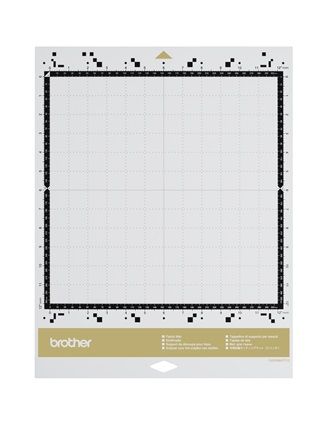
- Standard: General cutting for paper and vinyl.
- Low Tack: Delicate materials that a standard mat would tear on removal.
- Fabric: Made to hold fabric steady for the rotary blade.
- Scanning: For scanning artwork rather than cutting it.
Each comes in 12" x 12" and most in 12" x 24" for longer pieces. Match the mat size to your machine.
Do I need a computer to use a ScanNCut?
No. The machine works on its own, which is the main thing that sets it apart from cutters that depend on a connected computer. The built-in scanner reads artwork you place on the mat and turns it into a cut line on the machine's own screen, so you can design and cut without software. Connecting to a computer or to Brother's design service adds options, but nothing about the basic workflow requires it.
Which model should I choose?
We carry three, and the differences are in scanning resolution, blade compatibility and which built-in features come loaded, all of which the individual listings spell out. Rather than guess from a spec sheet, think about what you will cut most: fabric work leans toward a DX model because the rotary and thin fabric auto blades are built for it. Compare the current lineup under ScanNCut machines and accessories, or ask in store.
How often do blades and mats need replacing?
Both are consumables, and most cutting problems trace back to one of them being worn rather than to the machine. A mat loses its grip as adhesive picks up lint and fibers, and material that shifts mid-cut is the first sign. A dull blade tears instead of cutting cleanly, or stops going all the way through at a setting that used to work. How long each lasts depends entirely on what you cut, so replace on symptoms rather than on a schedule.